مساعد css
مُساعد CSS - hono/css - هو CSS in JS(X) المدمج في Hono.
يمكنك كتابة CSS في JSX داخل قالب نصي (template literal) في JavaScript يُسمّى css. القيمة المُرجَعة من css سيكون اسم الفئة (class name)، وهو مضبوط على قيمة خاصية class. حيث <Style /> سيحتوي المكوّن بعد ذلك على قيمة CSS.
Import
import { Hono } from 'hono'
import { css, cx, keyframes, Style, createCssContext } from 'hono/css'
css
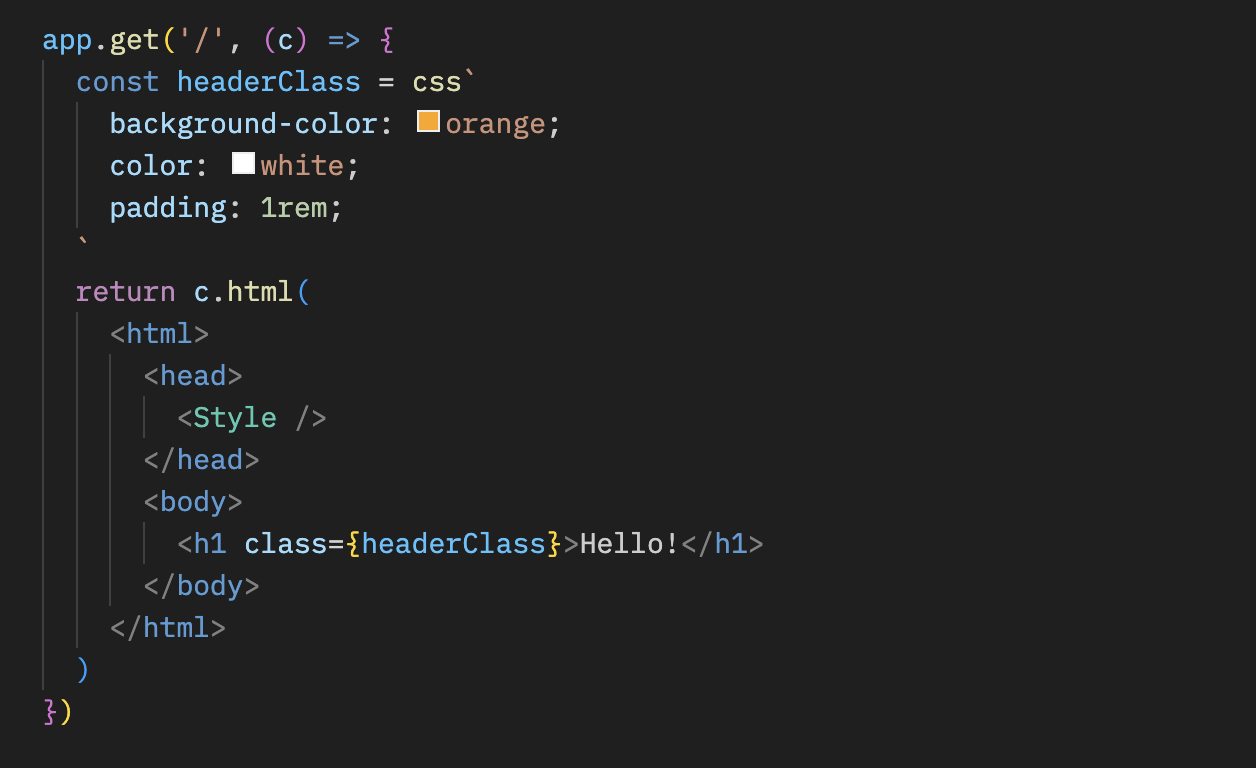
يمكنك كتابة CSS في css قالب حرفي (template literal). في هذه الحالة، يستخدم headerClass كقيمة لـ class السمة. لا تنسَ إضافة <Style /> لأنه يحتوي على محتوى CSS.
ملاحظة
app.get('/', (c) => {
  const headerClass = css`
    background-color: orange;
    color: white;
    padding: 1rem;
  `
  return c.html(

      <head>
        <Style />
      </head>
      <body>
        <h1 class={headerClass}>Hello!</h1>
      </body>

  )
})
يمكنك تنسيق الفئات الزائفة (pseudo-classes) مثل :hover باستخدام مُحدِّد التداخل, &:
const buttonClass = css`
  background-color: #fff;
  &:hover {
    background-color: red;
  }
`
التوسيع
يمكنك توسيع تعريف CSS عبر تضمين اسم الصنف (class name).
const baseClass = css`
  color: white;
  background-color: blue;
`

const header1Class = css`
  ${baseClass}
  font-size: 3rem;
`

const header2Class = css`
  ${baseClass}
  font-size: 2rem;
`
بالإضافة إلى ذلك، صياغة ${baseClass} {} يتيح تعشيش الأصناف.
const headerClass = css`
  color: white;
  background-color: blue;
`
const containerClass = css`
  ${headerClass} {
    h1 {
      font-size: 3rem;
    }
  }
`
return c.render(
  <div class={containerClass}>
    <header class={headerClass}>
      <h1>Hello!</h1>
    </header>
  </div>
)
الأنماط العامة
مُحدِّد زائف يُسمى :-hono-global يسمح لك بتعريف أنماط عامة.
const globalClass = css`
  :-hono-global {
    html {
      font-family: Arial, Helvetica, sans-serif;
    }
  }
`

return c.render(
  <div class={globalClass}>
    <h1>Hello!</h1>
    <p>Today is a good day.</p>
  </div>
)
أو يمكنك كتابة CSS في <Style /> مكوّن بـ css حرفي.
export const renderer = jsxRenderer(({ children, title }) => {
  return (

      <head>
        <Style>{css`
          html {
            font-family: Arial, Helvetica, sans-serif;
          }
        `}</Style>
        <title>{title}</title>
      </head>
      <body>
        <div>{children}</div>
      </body>

  )
})
keyframes
يمكنك استخدام keyframes لكتابة محتويات @keyframes. في هذه الحالة، fadeInAnimation سيكون اسم الرسم المتحرك (animation).
const fadeInAnimation = keyframes`
  from {
    opacity: 0;
  }
  to {
    opacity: 1;
  }
`
const headerClass = css`
  animation-name: ${fadeInAnimation};
  animation-duration: 2s;
`
const Header = () => <a class={headerClass}>Hello!</a>
cx
الـ cx يدمج اسمي الفئتين (class names).
const buttonClass = css`
  border-radius: 10px;
`
const primaryClass = css`
  background: orange;
`
const Button = () => (
  <a class={cx(buttonClass, primaryClass)}>Click!</a>
)
يمكنه أيضًا تركيب سلاسل نصية بسيطة.
const Header = () => <a class={cx('h1', primaryClass)}>Hi</a>
الاستخدام بالاقتران مع الترويسات الآمنة الوسيط
إذا أردت استخدام مساعدات CSS (CSS helpers) مع الترويسات الآمنة الوسيط، يمكنك إضافة nonce السمة إلى <Style nonce={c.get('secureHeadersNonce')} /> لتجنّب Content-Security-Policy الناتج عن مساعدات CSS.
ملاحظة
import { secureHeaders, NONCE } from 'hono/secure-headers'

app.get(
  '*',
  secureHeaders({
    contentSecurityPolicy: {
      // Set the pre-defined nonce value to `styleSrc`:
      styleSrc: [NONCE],
    },
  })
)

app.get('/', (c) => {
  const headerClass = css`
    background-color: orange;
    color: white;
    padding: 1rem;
  `
  return c.html(

      <head>
        {/* Set the `nonce` attribute on the CSS helpers `style` and `script` elements */}
        <Style nonce={c.get('secureHeadersNonce')} />
      </head>
      <body>
        <h1 class={headerClass}>Hello!</h1>
      </body>

  )
})
createCssContext
createCssContext يُنشئ دوال مساعدة CSS (css, cx, keyframes, viewTransition, Style) مع سياق مخصص. يمكنك استخدامه لتخصيص معرف عنصر النمط (style) وأسماء الفئات المُنشأة.
import { createCssContext } from 'hono/css'

const { css, cx, keyframes, Style } = createCssContext({
  id: 'my-app',
})
classNameSlug
افتراضياً، تُولَّد أسماء أصناف CSS (class names) بالصيغة css-1234567890. يمكنك تخصيص هذا بتمرير classNameSlug الدالة.
تستقبل الدالة ثلاثة وسائط (arguments):
hash- اسم الفئة (class) المولّد الافتراضي (مثلcss-1234567890)label- مُستخرَج من/* comment */عند بداية قالب CSS (سلسلة فارغة إن لم يوجد)css- سلسلة CSS المُصغّرة
const { css, Style } = createCssContext({
  id: 'my-styles',
  classNameSlug: (hash, label) => (label ? `h-${label}` : hash),
})

const heroClass = css`
  /* hero-section */
  background: blue;
`
// Generated class name: "h-hero-section"
onInvalidSlug
إذا كان classNameSlug أرجعت الدالة اسم فئة CSS غير صالح، يتم تسجيل تحذير افتراضيًا. يمكنك تخصيص هذا السلوك باستخدام onInvalidSlug.
const { css, Style } = createCssContext({
  id: 'my-styles',
  classNameSlug: (hash, label) => label || hash,
  onInvalidSlug: (slug) => {
    throw new Error(`Invalid CSS class name: ${slug}`)
  },
})
الأمان
أدوات CSS المساعدة هي واجهات برمجة لتأليف CSS: مثل مكتبات CSS-in-JS الأخرى، تُدرج القيم المُقحمة (interpolated) كـ CSS خام. تمنع الاختراق إلى HTML (علامات الاقتباس والخطوط المائلة العكسية و </)، لكن {, }، و ; تمر مباشرةً لأنها CSS صالحة.
تعامل مع مساعدات CSS مثل بقية المصارف الخام (html, raw, rawCssString): لا تمرر مدخلات غير موثوقة إليها مباشرة. القيام بذلك يسمح بحقن CSS. تحقق من صحة المدخلات مقابل قائمة مسموح بها (allowlist) أولًا.
const ALLOWED_COLORS = ['red', 'green', 'blue']
const color = ALLOWED_COLORS.includes(input) ? input : 'black'
const headerClass = css`
  color: ${color};
`
نصائح
إذا كنت تستخدم VS Code، فيمكنك استخدام vscode-styled-components لتلوين الصيغة (Syntax highlighting) و IntelliSense للعبارات النصية الموسومة بـ CSS (tagged literals).